Home Assistant Auto Discovery
The integration to Home Assistant is done via MQTT auto discovery. The benefit of auto discovery is that no additional software needs to be configured in Home Assistant for it to work.
What entities are registered via auto discovery?
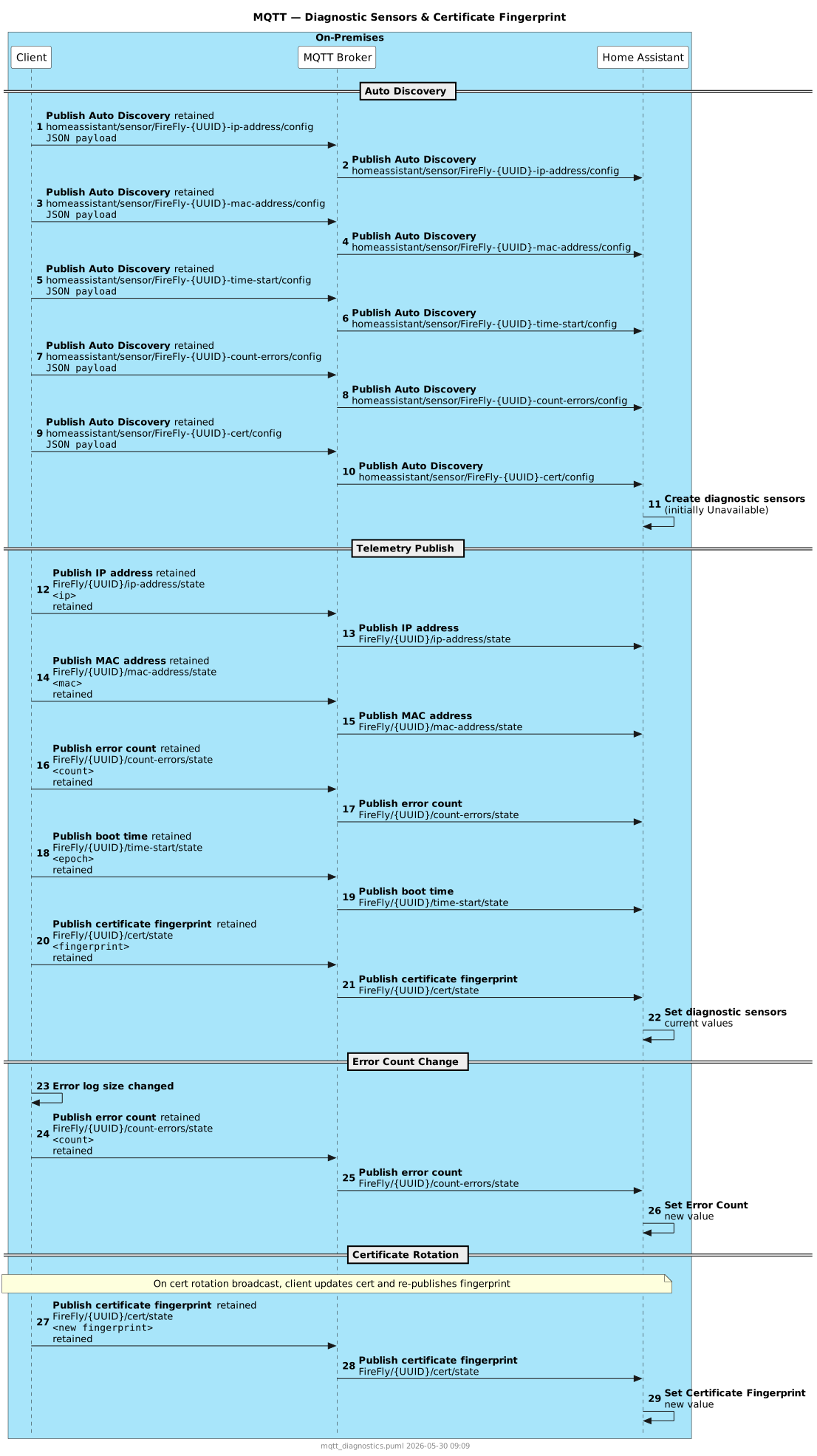
Auto discovery registers the following entities in Home Assistant for each client:
- IP Address — current WiFi IP address
- MAC Address — WiFi MAC address
- Boot Time — Unix epoch timestamp of the last boot
- Error Count — number of active errors on the device
- Certificate Fingerprint — SHA-256 fingerprint of the CA certificate stored on the device
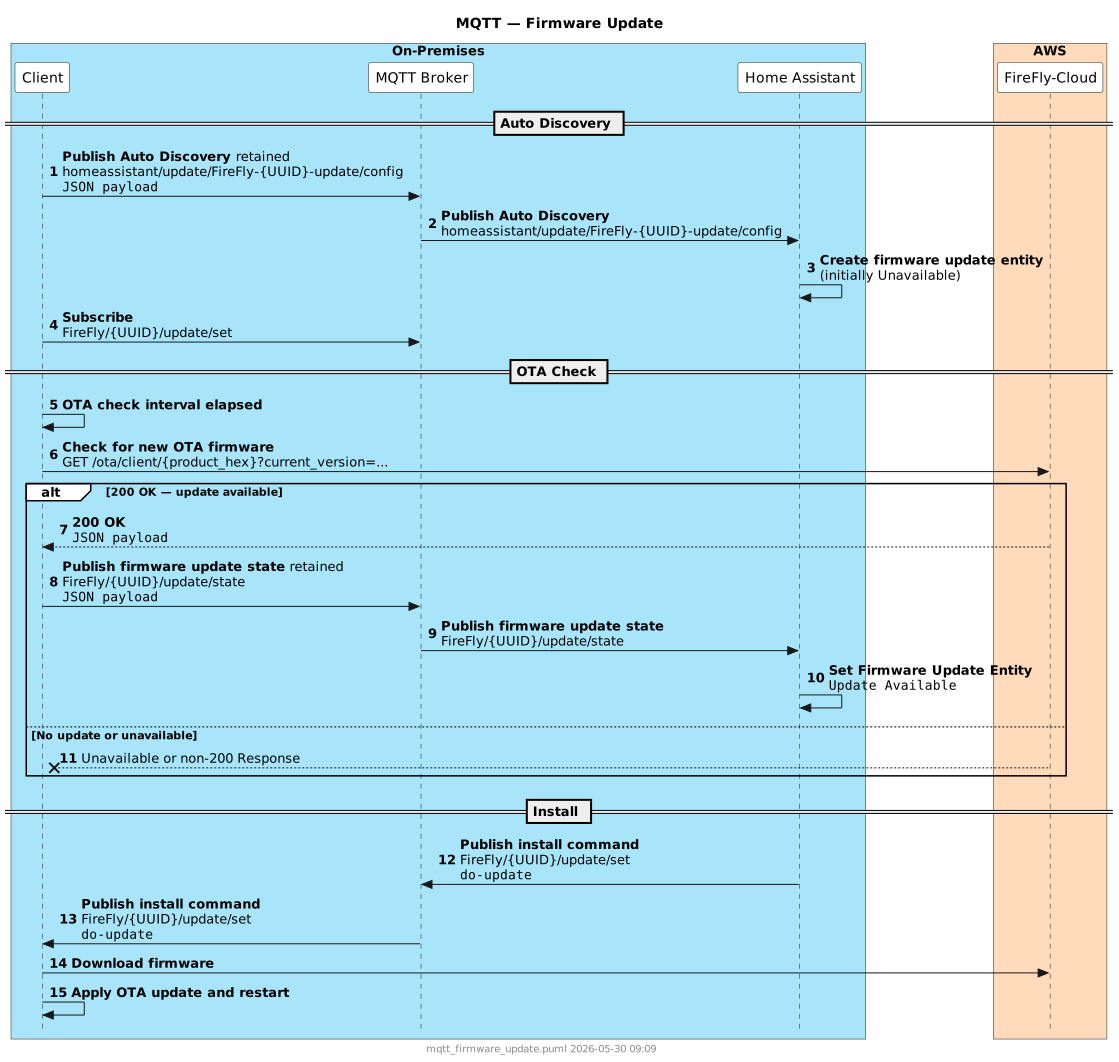
- Firmware Update — OTA firmware update status and install control
What does FireFly use for the Home Assistant Auto Discovery topic?
FireFly uses the default topic root of homeassistant for auto discovery. You can configure this inside the MQTT settings of Home Assistant. It should not include a trailing /.
MQTT Message Sequences
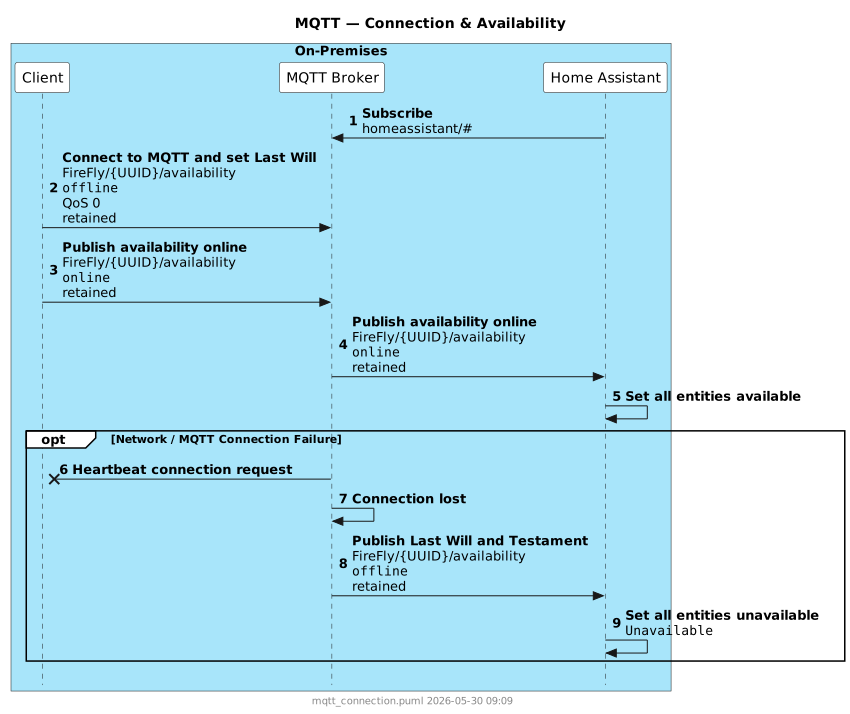
During the connectMqtt() process, the client will execute the following MQTT actions after making a connection to the broker:
Retained Messages and Last Will & Testament
All telemetry and auto-discovery payloads are published with the retained flag set. This ensures that Home Assistant receives the current state immediately when it connects or restarts, without waiting for the next publish cycle.
In the event the client loses connectivity, the MQTT Last Will & Testament will set all entities to Unavailable.
Topic and Payload Reference
For the full topic structure, payload schemas, and field-level documentation, see the MQTT Reference.